 AGU
AGU


 Russian
 English
ASU News
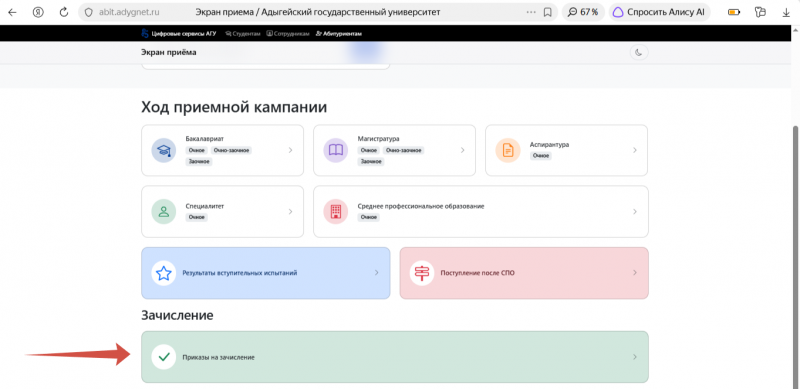
For each program, the orders contain lists of those enrolled. To protect personal information, the lists contain their Unified State Pedagogical University numbers, not their full names.
You can find your application on the admissions screen . Simply scroll down to the green "Admission Orders" field and enter your Unified State Portal of Public Services (EPGU) number in the window that opens. The system will find the appropriate program and display a list of those accepted.
We remind you that all those admitted after the orders are published can be added to the first-year group for their faculty. If you submitted your documents through Gosuslugi, you will see an admission notification in the "Application Status" section of your Gosuslugi account. Next to it will be an invitation to "Join the first-year chat."
Those who submitted their documents in person at the admissions office must first request their application through Gosuslugi. To do this, find the "Apply to a University Online" service in Gosuslugi (or through the Max robot), click "Start," and select "Request Applications" in the window that opens. Then, look at "Application Status," where you'll be invited to chat.

.jpg)